THE BRIEF
For this project, the brief was to create a short video that communicated the impact of the Sustainability Model Programme. On the surface, the ask was simple: present the programme, its partners, and its outcomes clearly. The real need was make the programme’s value immediately clear, simple to understand, and human, so the audience could feel why the work mattered rather than just receive information about it.
CONSTRAINT
The project had to be built under a tight deadline with limited source material. There was little to no usable live footage and only a small pool of still images, so the visual system had to make static assets feel active and emotionally engaging while using the collage style animation. AI-generated visuals helped fill some of the gaps while keeping the story moving.
STYLE AND COLOR GUIDE
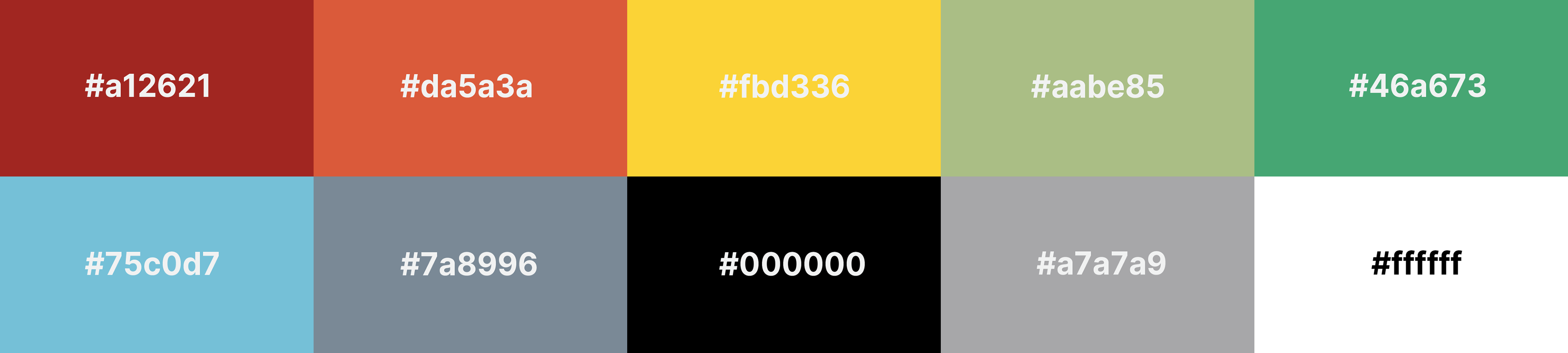
The palette was built from the brand colors, using green and blue as the main background colors to create a calm, hopeful tone. Red was used as an emphasis color to highlight key words and guide attention, while white and black kept the typography and logo sections clean and legible.

Frame 1: Opening Visual Direction
This frame establishes the collage-style animation approach: a mix of cutout people, symbolic objects, bold color blocks, and simple typography. I used this direction to make the programme feel human and approachable, while still keeping the message clear for donors and partners. The green background gives the frame an optimistic, growth-focused tone, while the red highlights pull attention to key words. Due to insufficient images to use in the video, I solved this by using AI to generate images that speak well with the current frame. AI did a good job to also give the black and white color to give that human look and feel like its grounded in people.

Frame 4: Moving Beyond Dependency
This frame uses collage as a visual metaphor. The hands placing objects like a leaf, solar panel, bicycle, and produce represent practical tools for independence, growth, and sustainability. Instead of explaining the idea only through text, the composition turns “moving beyond dependency” into something visual and memorable.

Frame 5: Funded By / Partner Recognition
This frame keeps the design minimal so the funder and partner logos are clear and respected. After using more textured and collage-heavy visuals throughout the video, this cleaner layout gives the institutional credits room to breathe and makes the partnership feel official, credible, and easy to read. For this section I decided to use the white background to make the images pop and eventually added drop shadows to make the logos feel separate from the background.

Use of AI in the video.
I used AI in the video in a couple of frames through out the video. The reason was not to make the video AI heavy but to use AI as a tool to make the story progress. For example in this frame I used AI to get the cut out feel for the images and make it feel collage-like this is one way I used AI to make the video feel richer and human made and it turned out perfectly. Throughout the video this was the goal: MAKE THE VIDEO FEEL HUMAN, that's why I used the collage style animation.
I used AI in the video in a couple of frames through out the video. The reason was not to make the video AI heavy but to use AI as a tool to make the story progress. For example in this frame I used AI to get the cut out feel for the images and make it feel collage-like this is one way I used AI to make the video feel richer and human made and it turned out perfectly. Throughout the video this was the goal: MAKE THE VIDEO FEEL HUMAN, that's why I used the collage style animation.
Use of AI in the video.
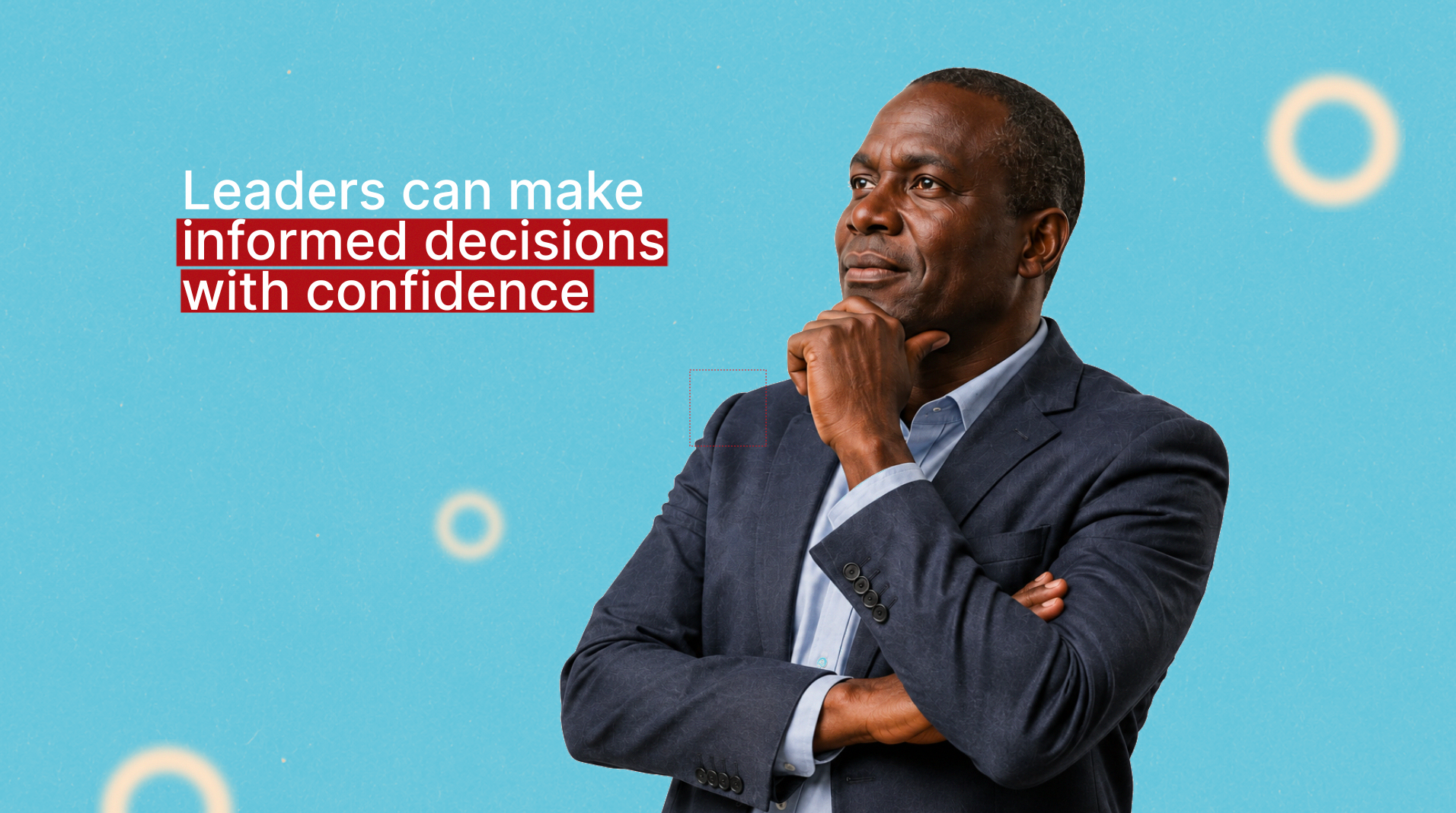
This is another frame where I used AI to generate the guy who looks like a leader and put emphasis on the statement that is on the top left of the screen.
This is another frame where I used AI to generate the guy who looks like a leader and put emphasis on the statement that is on the top left of the screen.

Golden ratio design technique
Before the embarking on this project I was exploring on using the Golden ratio in my work, and with the help of AI, I was able to create guides in After Effects and Illustrator that are exactly distributed in the screen according to the golden ratio to help me use it effectively. For instance in this frame there is clear distribution and hierarchy to help the eye scan through the frame and understand what is going on. I put the partner logos in the middle to make them feel important and the main focus in the frame. I explain below how I used this golden ratio in after effects.
TECHNICAL PROBLEMS


I developed my own golden ratio script using Claude AI to create a dockable script. After a few iterations here and there I was able to create it based on whatever aspect ratio I use it will always adapt. This is one of the ways I have been able to use AI to improve my workflow and also solve problems I come across in my daily work. As you can see the guides are distributed horizontally and vertically and I can decide based on my design knowledge where I will place the layers.
A TRADEOFF I MADE
The initial client brief was to create a Saas motion design style. But using my knowledge and expertise doing a Saas style was not the best thing for this project. As the video is more of an humanitarian vibe than a tech product or launch. After a few consultations the client was satisfied with the approach and I proceeded with the video.
The outcome
The final result is a concise motion design video that turns a programme update into a more compelling story: one that shows how the Sustainability Model Programme is helping refugee-led organizations strengthen their systems, build resilience, and contribute to a new narrative of locally led change. The client really loved the video and it was received well by the stakeholders involved.